Discover Warp- The AI-Enhanced Terminal for Developers
In the ever-evolving landscape of software development, the tools we use can significantly impact our productivity and efficiency. One of the most exciting innovations in this space is Warp, a terminal designed to integrate artificial intelligence and your development team’s collective knowledge into a seamless coding experience. This article explores what Warp is, its unique features, and how it can transform the way developers interact with their terminal.
Understanding Warp
Warp is not just another terminal; it is a modern command-line interface that redefines how developers interact with their systems. By incorporating AI capabilities and team knowledge, Warp aims to streamline workflows, enhance collaboration, and improve overall productivity. It is built for developers who seek a more efficient way to manage their tasks and leverage the power of AI in their daily operations.
Key Features of Warp
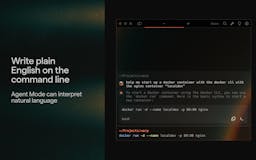
- AI-Powered Command Suggestions: Warp uses AI to provide intelligent command suggestions based on your previous usage patterns and the context of your current work. This feature helps reduce the time spent typing commands and minimizes errors.
- Built-In Knowledge Base: Warp allows teams to create a shared knowledge base that can be accessed directly from the terminal. This feature enables developers to quickly find solutions to common problems without leaving their workflow.
- Collaborative Environment: With Warp, developers can share their terminal sessions in real-time, making it easier to collaborate on projects and troubleshoot issues together.
- Customizable Interface: Warp offers a modern, customizable interface that allows users to tailor their terminal experience to their preferences, enhancing usability and comfort.
How Warp Enhances the Development Experience
Warp is designed to improve the overall development experience in several key ways. Here’s how it achieves this:
Streamlined Workflows
By integrating AI and team knowledge directly into the terminal, Warp streamlines workflows and reduces the friction often associated with command-line interfaces. Developers can access the information they need without switching between different tools or applications, allowing them to focus on their tasks.
Increased Productivity
The AI-powered command suggestions in Warp help developers work more efficiently. By predicting the commands you are likely to use based on your context and history, Warp minimizes the time spent typing and searching for commands. This increased efficiency can lead to significant productivity gains, especially for repetitive tasks.
Enhanced Collaboration
In today’s remote work environment, collaboration is essential. Warp’s real-time sharing feature allows team members to collaborate directly within the terminal, making it easier to troubleshoot issues and share knowledge. This collaborative approach fosters a sense of teamwork and can lead to faster problem resolution.
Improved Learning Opportunities
For new developers, Warp serves as an educational tool. The built-in knowledge base allows users to access documentation, best practices, and solutions to common problems directly from the terminal. This feature can accelerate the learning process and help new team members get up to speed more quickly.
Why Choose Warp Over Other Terminals?
While there are many terminal options available, Warp stands out for several reasons:
Modern Design and Usability
Warp features a sleek, modern design that enhances usability. The customizable interface allows users to create a terminal environment that suits their workflow, making it more enjoyable to use.
AI Integration
The integration of AI into the terminal experience is a game-changer. Warp’s intelligent command suggestions and contextual awareness set it apart from traditional terminals, making it a powerful tool for developers.
Focus on Team Knowledge
Warp’s emphasis on team knowledge and collaboration is a significant advantage. By allowing teams to create a shared knowledge base, Warp helps ensure that valuable information is easily accessible to all team members.
Getting Started with Warp
To start using Warp, follow these simple steps:
- Visit the Warp Website: Go to the official Warp website to learn more about the terminal and its features.
- Download and Install: Download the appropriate version for your operating system and follow the installation instructions.
- Create an Account: Sign up for a Warp account to access collaborative features and the built-in knowledge base.
- Start Using Warp: Open Warp and begin exploring its features, taking advantage of AI-powered suggestions and team knowledge.
Frequently Asked Questions
What operating systems does Warp support?
Warp is designed to work on major operating systems, including macOS and Linux. This cross-platform compatibility ensures that a wide range of developers can benefit from its features.
Is Warp suitable for beginners?
Yes, Warp is user-friendly and offers features that can help beginners learn command-line operations more effectively. The built-in knowledge base and AI suggestions make it easier for new developers to navigate the terminal.
Can I collaborate with my team using Warp?
Absolutely! Warp’s real-time sharing feature allows team members to collaborate directly within the terminal, making it an excellent tool for team projects and troubleshooting.
How does Warp improve productivity?
By providing AI-powered command suggestions and a built-in knowledge base, Warp reduces the time spent searching for commands and solutions, allowing developers to focus on their work and complete tasks more efficiently.
Final Thoughts
Warp is revolutionizing the way developers interact with their terminal by integrating AI and team knowledge into a seamless experience. With its focus on collaboration, productivity, and usability, Warp is poised to become an essential tool for modern developers.
