
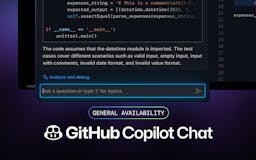
Discover GitHub Copilot Chat- Your AI Coding Companion
In the ever-evolving world of software development, tools that enhance productivity and streamline workflows are invaluable. One such tool that has garnered significant attention is GitHub Copilot Chat. This innovative extension to GitHub Copilot offers developers a conversational AI assistant that integrates seamlessly into Visual Studio Code (VS Code). In this article, we will explore what GitHub Copilot Chat is, how it works, and why it is becoming an essential companion for developers.
Understanding GitHub Copilot Chat
GitHub Copilot Chat is designed to provide developers with real-time, conversational assistance as they code. By leveraging advanced AI technology, it allows users to interact with the assistant in a natural language format, making coding more intuitive and efficient. This tool is particularly beneficial for developers who seek immediate answers to coding questions, guidance on best practices, or assistance with debugging.
Key Features of GitHub Copilot Chat
- Conversational Interface: The chat-based interface allows developers to ask questions and receive responses in a dialogue format, making it easier to clarify doubts and seek guidance.
- Contextual Awareness: GitHub Copilot Chat understands the context of your code, providing relevant suggestions and insights based on the current coding environment.
- Integration with VS Code: As an extension of GitHub Copilot, it integrates seamlessly into the VS Code environment, enhancing the overall coding experience without disrupting workflow.
- Support for Multiple Languages: The tool supports various programming languages, making it versatile for different development projects.
How GitHub Copilot Chat Enhances the Development Process
GitHub Copilot Chat is built to enhance the software development process in several ways. Here’s how it contributes to increased productivity and efficiency:
Instant Access to Information
Developers often encounter roadblocks while coding, whether it’s a syntax error, a question about a library, or a need for best practices. GitHub Copilot Chat provides instant access to information, allowing developers to resolve issues quickly without extensive searching.
Improved Learning Curve
For new developers, understanding complex codebases and programming concepts can be daunting. GitHub Copilot Chat serves as a learning tool, offering explanations and examples that help users grasp difficult topics more easily. This feature is particularly beneficial for those transitioning into new programming languages or frameworks.
Enhanced Collaboration
In team environments, communication is key. GitHub Copilot Chat facilitates better collaboration by allowing team members to share insights and solutions in real-time. This collaborative aspect can lead to more cohesive project development and improved team dynamics.
Streamlined Debugging
Debugging can be one of the most time-consuming aspects of software development. GitHub Copilot Chat assists in identifying and resolving bugs by providing suggestions based on the context of the code. This capability not only saves time but also reduces frustration during the debugging process.
Why Choose GitHub Copilot Chat?
While there are numerous coding assistants available, GitHub Copilot Chat stands out for several reasons:
User-Friendly Experience
The conversational interface is designed to be intuitive, making it accessible for developers of all skill levels. Users can engage with the AI in a natural way, which enhances the overall experience and reduces the learning curve.
Continuous Improvement
GitHub Copilot Chat is built on advanced machine learning models that continuously improve over time. As more developers use the tool, it learns from their interactions, leading to more accurate and relevant suggestions.
Strong Community Support
Being part of the GitHub ecosystem means that users have access to a vast community of developers. This community can provide additional resources, tips, and support, enhancing the overall experience of using GitHub Copilot Chat.
Getting Started with GitHub Copilot Chat
To start using GitHub Copilot Chat, follow these steps:
- Install GitHub Copilot: Ensure you have GitHub Copilot installed in your VS Code environment.
- Enable Copilot Chat: Activate the Copilot Chat extension within VS Code to start using the conversational AI features.
- Start Coding: Begin your coding session and engage with the AI by asking questions or seeking assistance as needed.
Frequently Asked Questions
What programming languages does GitHub Copilot Chat support?
GitHub Copilot Chat supports a wide range of programming languages, including Python, JavaScript, Java, C#, and more. This versatility makes it suitable for various development projects.
Is GitHub Copilot Chat suitable for beginners?
Yes, GitHub Copilot Chat is designed to assist developers of all skill levels. Beginners can benefit from its explanations and suggestions, making it easier to learn and understand coding concepts.
How does GitHub Copilot Chat improve coding efficiency?
By providing instant answers to coding questions, contextual suggestions, and debugging assistance, GitHub Copilot Chat significantly reduces the time developers spend on problem-solving, allowing them to focus on writing code.
Can GitHub Copilot Chat be used in team settings?
Absolutely! GitHub Copilot Chat enhances collaboration by allowing team members to share insights and solutions in real-time, making it an excellent tool for team projects.
Final Thoughts
GitHub Copilot Chat is revolutionizing the way developers approach coding by providing a conversational AI assistant that enhances productivity and learning. With its intuitive interface and contextual awareness, it empowers developers to tackle challenges more effectively and efficiently.
